

Have you ever thought about making your selfies look like anime or manga? Want to discover your anime version or manga version? In this article, we will explore 15 applications that transform photos into drawings.
Today, doing this with a mobile phone is quite easy. There is a wide variety of apps for both Android and iOS. Check out our list of the 20 best apps to transform photos into Animes and caricatures with various types of filters and effects available for Android and iPhone.
We also recommend reading our article: Apps to draw manga on your phone.
0 – Artificial Intelligence
Before we move on to the applications, we can mention that artificial intelligence is present in most of these apps, but today you can use tools like ChatGPT or any other image AI to transform a photo and convert it into different drawing styles, it can be manga or even colored anime.
We placed Artificial Intelligence in the zero position because it is something super broad. Every day a new artificial intelligence website emerges that performs modifications or generates images based on parameters defined by the user. If you want to use one of these applications, we will leave some tips below:
Vidnoz
Vidnoz is a free-to-use website that allows you to easily generate AI portraits from photos in your browser without downloading. When a user uploads a photo, the AI analyzes facial features and generates portraits in seconds to minutes.

Vidnoz is capable not only of generating AI portraits but also transforming them into videos. Just upload a photo, enter the text, select the language and gender, click generate, and in a few seconds, you will have an AI portrait video that can speak. In some cases, you may be asked to register, but this happens because the video is very large and must be sent via email. This tool is completely free, so you can use it without worry!
My Experience Using AI to Transform into Anime
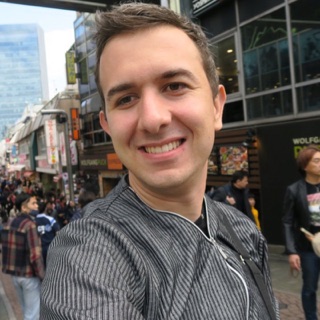
The image below was created using ChatGPT; I sent one of my travel photos from Japan that you will see throughout the article in the Second Application (ZmoAi), and ChatGPT sent this result.
Although it is not a transformation of the image, I liked that it maintained our characteristics such as hair color, clothing, accessories, and even understood that we took a selfie.
I did nothing but send the photo and ask for it to be transformed into anime characters. Everything was written in Portuguese without any complicated “prompt” using GPT-4.

List of Prompts to Use in AI
Below is a list of prompts in English to use with artificial intelligence that will transform photos into anime and manga drawings in different styles and with better results.
General Style:
- Anime style: “anime”, “anime style”, “japanese animation”, “japanese cartoon”
- Manga style: “manga”, “japanese comic”, “comic book”, “graphic novel”
Specific Details:
- Eyes: “big eyes”, “sparkly eyes”, “kawaii eyes”, “cat eyes”, “detailed eyes”
- Hair: “anime hair”, “manga hair”, “colored hair”, “long hair”, “short hair”, “spiky hair”
- Clothes: “school uniform”, “japanese clothes”, “fantasy clothes”, “gothic clothes”, “casual clothes”
- Face: “small nose”, “small mouth”, “pointed chin”, “round face”, “sharp features”
- Accessories: “headband”, “hairband”, “scarf”, “necklace”, “earrings”
Filters and Effects:
- Vintage: “vintage”, “retro”, “old-fashioned”, “aged”, “sepia”
- Cell: “cel-shaded”, “toon-shaded”, “comic book style”, “graphic novel style”
- Sketch: “sketch”, “pencil drawing”, “charcoal drawing”, “ink drawing”
Examples of Prompts:
- “Transform my photo into an anime character with big eyes, long black hair, and a school uniform.”
- “Make me look like a character from a seinen manga with a serious expression, short hair, and a black suit.”
- “Draw me in a cute chibi style with a pink dress and a ribbon in my hair.”
- “Turn my photo into a cel-shaded anime scene with a dramatic background.”
- “Apply a vintage filter to my photo and make me look like a character from a classic manga.”
Tips:
- Be specific in your prompt for better results.
- Use keywords that describe the style you want.
- Experiment with different prompts to find what you like best.
- Combine prompts to create unique results.
1. AnimeMe
AnimeMe is a revolutionary app that uses cutting-edge artificial intelligence technology to transform your photos into stunning cartoons in seconds. With a simple and intuitive interface, you can easily upload your photos and watch as AnimeMe transforms them into animated works of art with impressive details.
What makes AnimeMe even more amazing is that it is completely free and constantly evolving. New painting styles are regularly added, ensuring that you always have fresh and exciting options to try. So, if you want to impress your friends with incredible cartoon portraits or just have fun exploring different art styles, AnimeMe is the perfect app for you. Come try it and let your creativity flow with AnimeMe!

2. Zmo AI Cartoon
Zmo AI Cartoon is an AI-powered photo editing tool that takes photo-to-cartoon transformation to a new level. With advanced technology, this app can create highly detailed and realistic cartoons from your photos in just a few clicks.
A unique feature of Zmo AI Cartoon is its customization capability. You can adjust different elements such as outlines, shading, and colors to create a cartoon that meets your exact preferences. Additionally, the app is regularly updated with new styles and features, ensuring a consistently fresh and exciting experience for its users.

3. Toonify
Toonify is a photo editing tool that adds a fun and animated touch to your images, transforming them into vivid and captivating cartoons. With an intuitive and easy-to-use interface, this app allows you to turn your photos into cartoon-style artworks with just a few clicks.
What sets Toonify apart is its advanced artificial intelligence technology, which ensures impressive and realistic results. The tool also features different creation styles such as 3D characters, Disney princesses, and many others.
4. Anime Camera – Manga, HQ
With this app, you will be able to transform your photos quickly. With various filters, animated backgrounds, and other options to customize your creations. You can share your photos with anyone. One downside is that it is only available for Android.
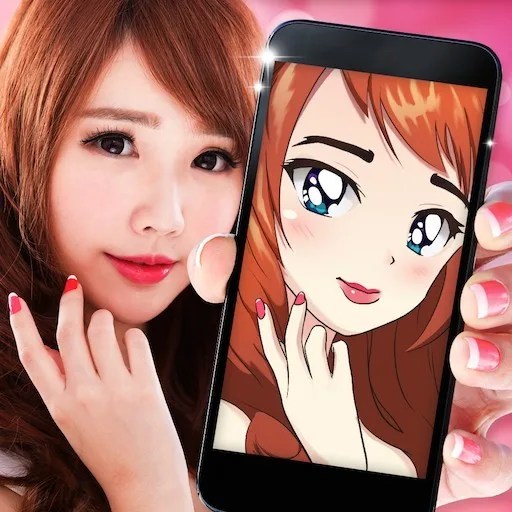
5. Anime Face Changer
In Anime Face Changer, you can create anime vs real-life photos, as well as create an anime avatar; you can also get animated versions in seconds, along with an animated photo editor.
A wide variety of styles. Animation, selfie, kiss face, manga photos, kawaii anime camera, manga eyes, cartoon creator, manga stickers, cartoon transformation. Available only for Android.
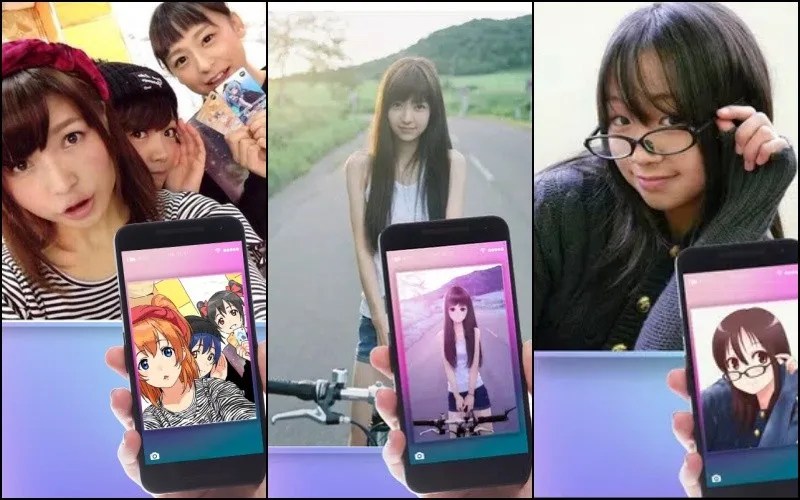
6. Cartoon Photo Editor
The Cartoon Photo Editor allows you to add cartoon filters to your images to make them look like they were drawn by a famous painter, with a wide variety of effects.
You can even create drawings to animate your photos and with the drawing creator, add filters and special effects with just a click of a button. Also available only for Android.

7. Drawing – Cartoon Photo Editor
Cartoons is more than just a simple app; it is where you can unleash your inner artist with many image filters (photo to caricature, cartoon yourself, cartoon photo maker, and others).
Features:
- Transform my photo into a cartoon drawing;
- Cartoon photo editing;
- Cartoon photo filter(s);
- Cartoon photo frames;
- Cartoon photo creator;

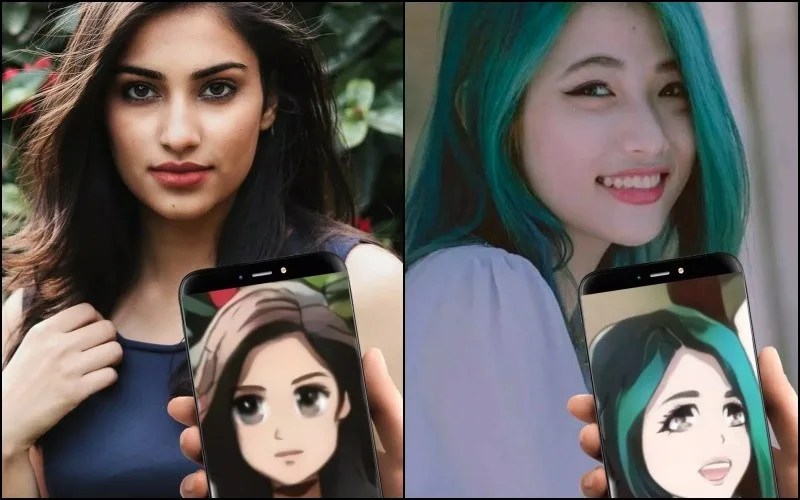
8 – TwinFACE — Transform into Anime
TwinFace delivers on its promise, transforming your photo in just a few seconds. It can be quickly and easily saved to your gallery or shared directly with your friends on social media. One downside of this app is that it requires an internet connection and is only available for Android.
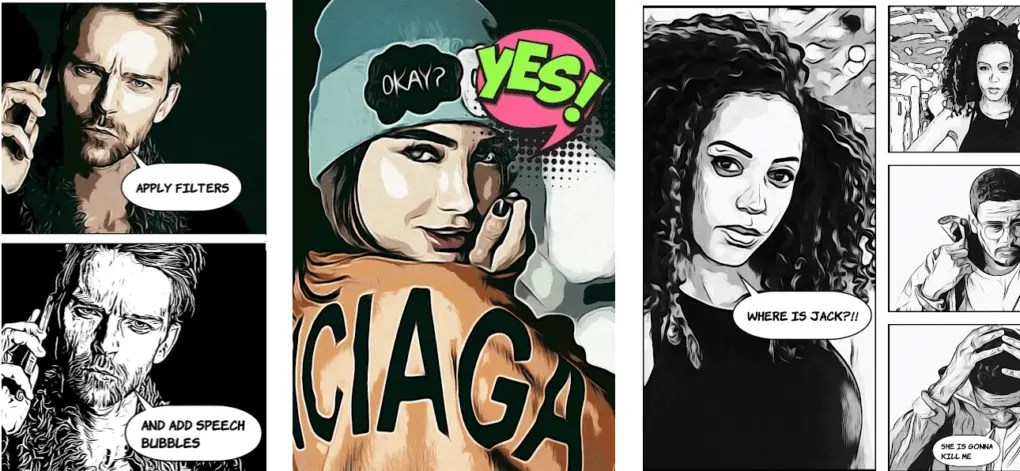
9. Comica
This app is the ideal meme creator. You can transform your photos into animated graphics or comics. Select any photo from your gallery (or take a new one) and apply filters to turn it into a cartoon or comic.
You can also add comic-style speech and thought bubbles. Type your message and create beautiful memes or posters.
10. Voilà AI Artist Photo Editor
This app is definitely one of the best on this list. By combining your creativity with the artificial intelligence of this app, you can create fun and amazing drawings.
Simple, fast, and intuitive, it allows you to create fun drawings and caricatures from old or recent photos. After downloading the tool, the user is not required to create a login or password, which is a significant difference compared to other applications.
After creating your work, you can easily save it to your gallery or publish it on your social media. The app is available for free on both iOS and Android.
We also recommend our article on Apps to learn Japanese.

11. Photo Lab
Photo Lab is one of the most versatile apps for transforming photos into drawings, with over 800 effects available in its library.
In addition to styles, you can apply filters, frames, and create montages. All of this in a very intuitive way that even inexperienced users will find easy to use.
The volume of resources available in the free version is sufficient for most users, but if you prefer, you can access additional tools in the Pro version. Available for both platforms.

12. ToonMe
ToonMe is a simple app that delivers on its promise. It simply makes your image look like a drawing, and after that, you will have the option to add some embellishments like glasses, mustaches, and other options to achieve a more pleasing result. If you want a simple option, it’s worth downloading on Android or iOS, especially since it’s free.

13. Selfie 2 Waifu
This option is not an app but rather a platform that can be accessed from your smartphone.
The Selfie 2 Waifu website employs an algorithm known as UGATIT to transform photos into anime-style illustrations. In practice, all you need to do is upload an image from your computer or phone, and the page will automatically revert to your Japanese animation version.
This site works best when used with an image that has your face prominently featured in a 3×4 style. It tends to deliver better results for women.
It is also worth noting that the anime-style image is available only in low resolution – but it is still usable on social media.

14. AnimeArt
AnimeArt is a powerful tool for anime and manga lovers who want to transform their photos into stylized works of art. With a wide variety of filters and effects inspired by Japanese style, this app offers an immersive and fun photo editing experience. From adding characteristic manga strokes to applying vibrant hues, AnimeArt allows users to customize their images according to their creative vision using AI.
Whether to create unique portraits, impressive profile images, or simply to have fun experimenting with different styles, AnimeArt is an excellent choice for anyone looking to add an anime touch to their photos.

15. Cartoonify
Cartoonify is like a digital art studio in your pocket! It takes your photos and transforms them into cartoons or mangas with incredible quality. The best part is that you can customize every detail – from line thickness to color palette.
It’s like having a magic pencil that turns any bland selfie into an animated masterpiece. Whether to impress your friends on social media or just to have fun, Cartoonify is the perfect app to unleash your creativity.
Other Apps to Convert Photo into Anime
There are hundreds of apps you will find on the Play Store or App Store, search well using related keywords, check the app ratings, as the vast majority do not deliver what they promise.
Additionally, as mentioned at the beginning of the article, we have several AIs capable of converting images into photos. Naming them is very complicated; a new one emerges every day. I will mention some names that the AI itself recommended to me:
List of AI Sites to Transform Photos:
- Fotor
- MyEdit
- VanceAI
- ZMO.AI
- Different Dimension Me
- Vidnoz
- Anime Art Painter
- Pica AI
To conclude, we will leave a video from our channel about the apps:
Community
Comments
0 comments
There are no published comments in this language yet.
Send comment